Feature · Reading modes
One document. Three ways to read it.
Document mode for deep reading, card feed for skimming, presenter mode for the stage — the same .md file, rendered three ways, no export step.
Markdown-first
Get everyday Markdown work done first.
Without connecting AI, read, edit, organize, and search Markdown the way you already know.
$ cat long-document.md
# Long documents are easy to navigate
Switch between document and card-stream views to match the content.
---
• Document view: Focus on one long piece, in any of 13 reading themes.
• Card stream: Skim by section quickly.
• Presenter mode: Use Markdown for presentations.
Long documents are easy to navigate
Switch between document and card-stream views to match the content.
What you can do in this mode
Document view
Focus on one long piece, in any of 13 reading themes.
Card stream
Skim by section quickly.
Presenter mode
Use Markdown for presentations.
Real product screenshots
This is what the desktop app actually looks like.
Four real captures from the v0.3.x desktop build — not wireframes, not mockups.
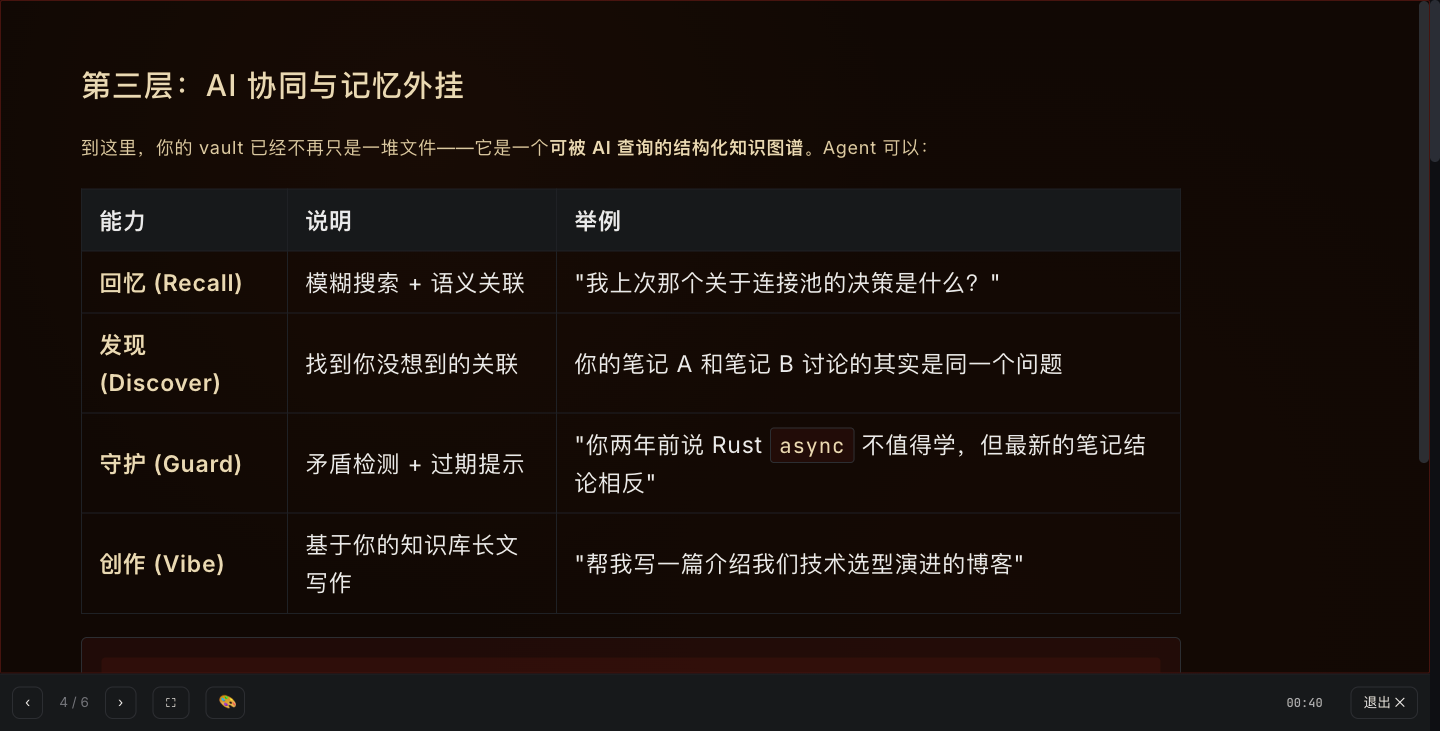
Switch the look for long-form reading: Letterpress / Newsprint / Paperback / Stage / Mono.

Same Markdown, switched to a Marp-style slide deck in one click.
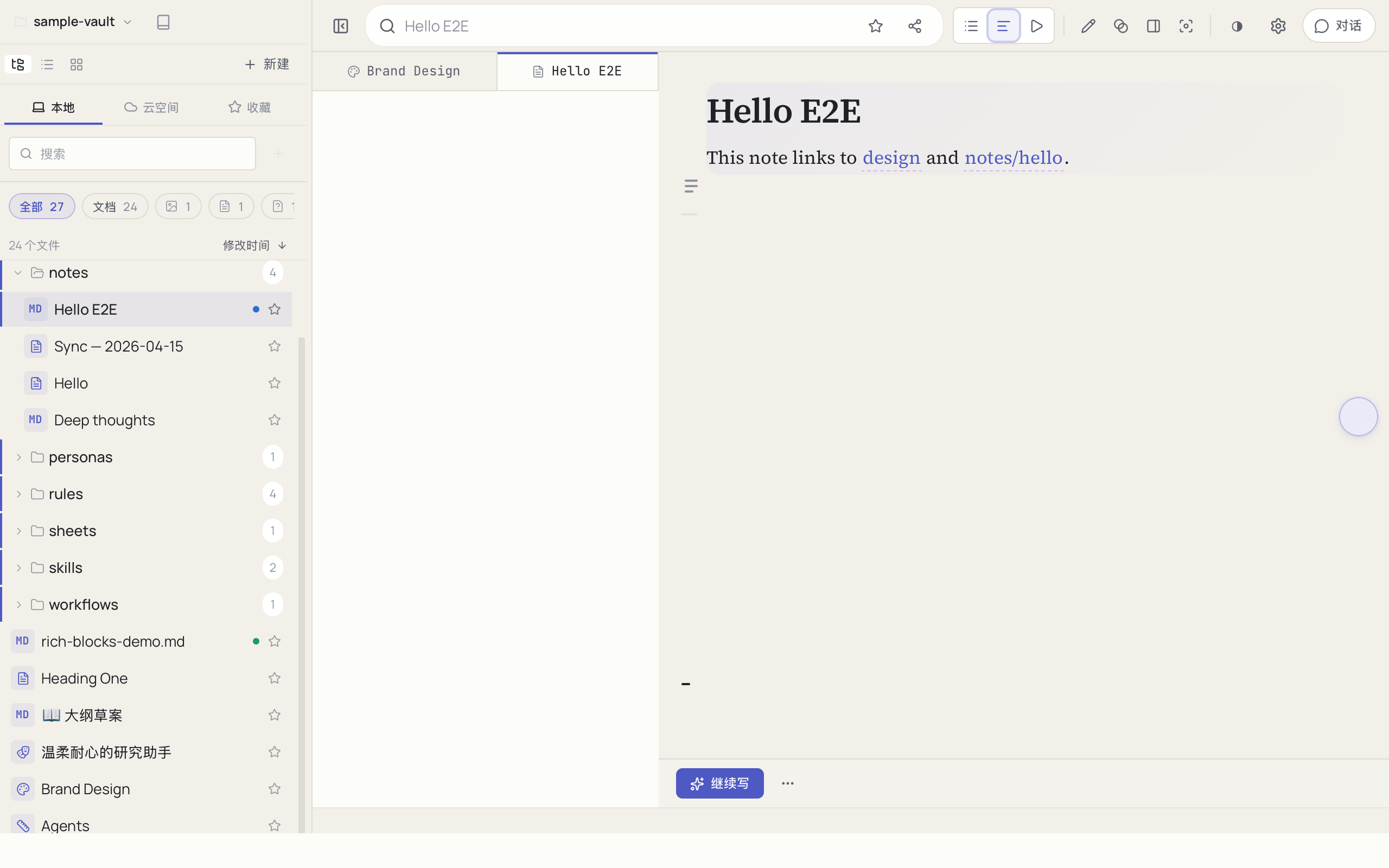
The Reader reading template — single-column prose, with the file tree and side-rail collapsed for a clean reading surface.

Everything you write lives in your local vault, searchable and version-controlled.
Captured from v0.3.x desktop builds on macOS; Windows ships the same UI.
Frequently asked questions
What reading modes does MDDock have?+
Can I really present a Markdown file as slides?+
What makes long-form reading comfortable?+
Can I preview a file without opening it?+
Do reading modes work on any Markdown, or only MDDock notes?+
Turn your documents into an AI-readable knowledge base
Try the free tools in your browser, then download the desktop app to keep everything local.