Feature · Auditing
See who changed your notes — and when.
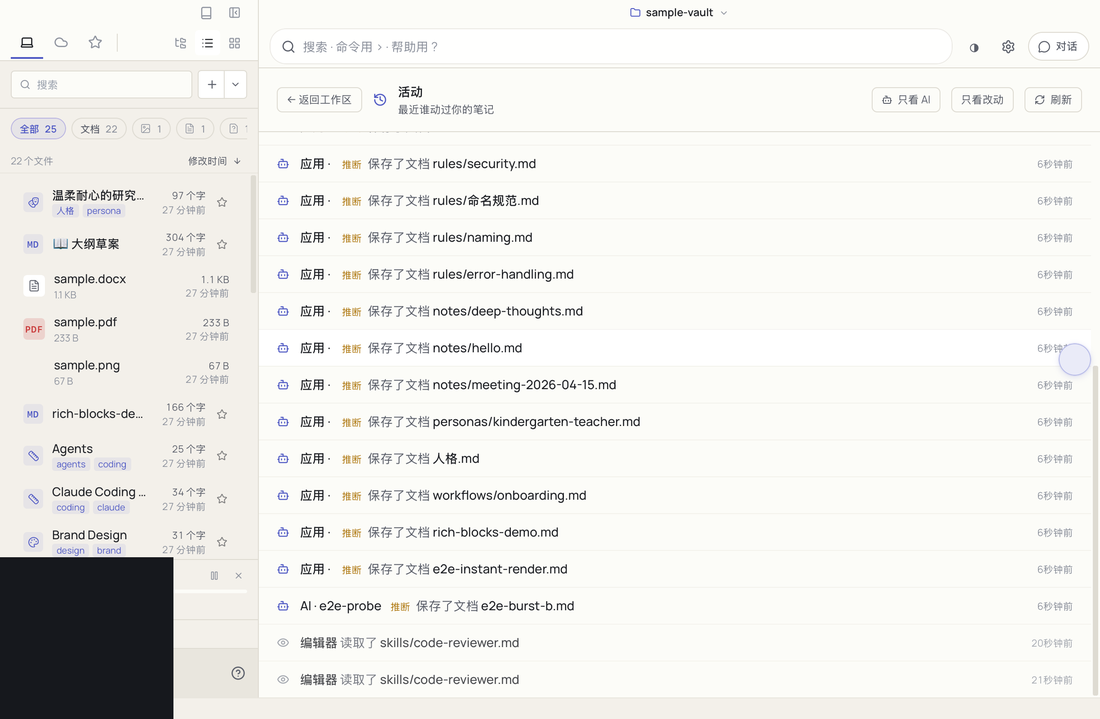
MDDock keeps a record of every change to your markdown: which AI tool, which person, at what time. And it never guesses silently — when it is inferring, it says so.
Three answers, never mixed up
Exact
no qualifierA tool told us, or you said so yourself. We show the name and nothing else.
Claude Code · 3 minutes ago
Inferred
inferredWe think so, but we did not see it. The app in front was Cursor — so the guess is labelled as a guess.
Cursor · inferred
Unrecognised
unknownThe file changed and nothing told us who. MDDock says so, and lets you mark it in one click.
Unrecognised → Mark as…
The activity view
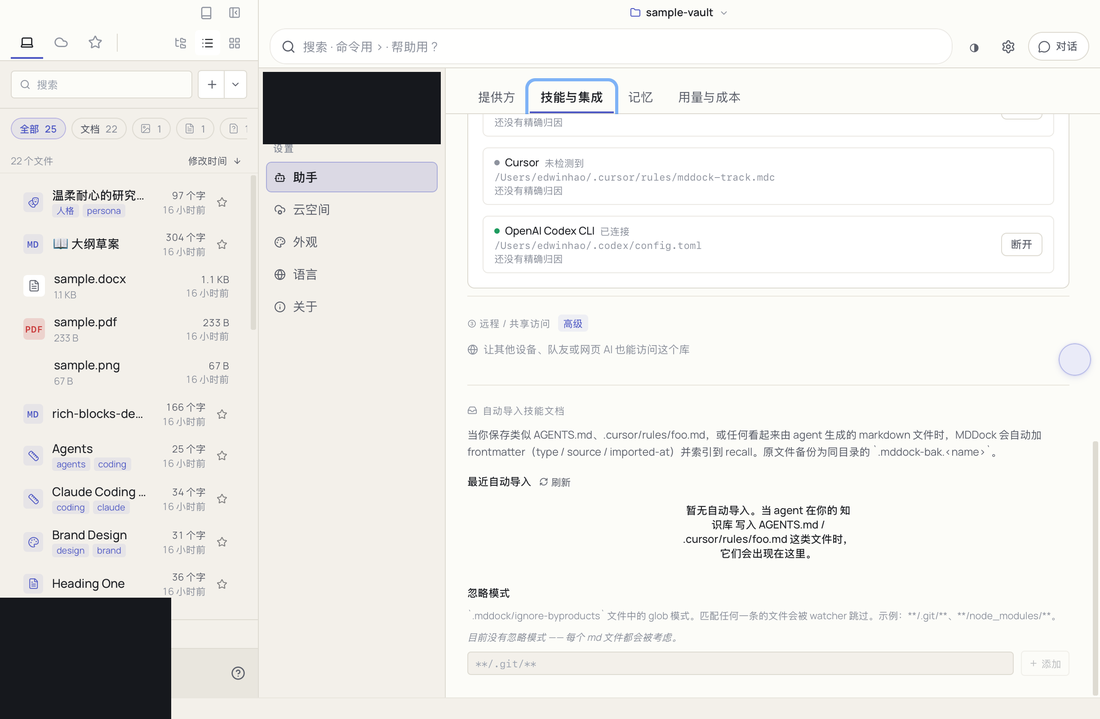
Connect your tools once
How MDDock knows
- Your AI tool says which file it is about to edit → exact.
- One agent edits several files in one go → the announced file is exact, the rest are inferred as the same batch.
- Nothing told us, but we can see which app was in front → inferred.
- You correct a row once → exact from then on.
Frequently asked questions
Does the audit trail need an account or the cloud?+
No. The record lives in your folder next to your notes, in the same append-only log MDDock already keeps. It works offline, and stays readable if you ever stop using MDDock.
Which AI tools get exact attribution?+
Claude Code, Cursor and the Codex CLI today — MDDock connects them for you in one click. Anything else still shows up, but as inferred rather than as fact.
Will it change my AI tool's configuration?+
Only while auto-connect is on, and it is on by default. MDDock backs the file up first, adds a single hook, never removes your existing ones, and Disconnect reverts it.
What does "inferred" actually mean?+
It is a guess, and it is labelled as one. MDDock would rather tell you it is unsure than quietly present a guess as a fact.
How is this different from git blame?+
Git tracks file content; MDDock tracks events. Reading a note, an AI searching your vault, a document being opened — none of those move a byte, yet all of them are worth auditing.
Turn your documents into an AI-readable knowledge base
Try the free tools in your browser, then download the desktop app to keep everything local.